

Key Highlights
- HIPAA Compliant Document Scanning: Ensures secure conversion of physical medical records into digital formats while maintaining patient confidentiality.
- Data Security: Encryption, access controls, and audit trails protect sensitive patient data from unauthorized access.
- Increased Efficiency: Digitizing records allows for quicker access, reduced storage costs, and improved patient care.
- Best Practices: Choosing the right scanning partner, regular audits, and multi-factor authentication are crucial for compliance.
- Common Pitfalls: Avoid mistakes like neglecting encryption, failing to train staff, and not properly disposing of outdated documents.
Introduction
In the world of healthcare, protecting patient information is not just important—it’s a legal requirement! As we move into 2025, healthcare organizations are increasingly turning to HIPAA compliant document scanning to securely manage medical records. Did you know that nearly 90% of healthcare organizations have adopted electronic document management systems to maintain confidentiality? This transition helps safeguard sensitive data while streamlining administrative processes.
In this article, we’ll explore how HIPAA compliant document scanning works, why it’s essential, and the best practices to ensure full compliance. Whether you’re looking to digitize your records or want to learn more about secure document management, you’re in the right place!
What is HIPAA Compliant Document Scanning?

Definition and Overview
HIPAA compliant document scanning refers to the process of scanning physical medical records and converting them into digital formats, while ensuring compliance with the Health Insurance Portability and Accountability Act (HIPAA). This act sets strict regulations to protect patient privacy and ensure that healthcare providers handle sensitive information securely.
Importance for Healthcare Organizations
In today’s digital age, it’s essential for healthcare organizations to move away from paper-based systems to mitigate the risks associated with data breaches. HIPAA compliant document scanning ensures that all records are handled in accordance with legal standards, protecting both patients and providers.
Basic Requirements
To be HIPAA compliant, the scanning process must ensure that the data is stored securely, accessed only by authorized individuals, and transmitted in encrypted forms. Scanned documents must be protected using proper access controls, audit trails, and encryption methods to guarantee confidentiality and integrity.
Key Features of HIPAA-Compliant Scanning Solutions
High Accuracy and Dynamic OCR: Optical Character Recognition (OCR) technology is vital for converting scanned documents into editable, searchable data. Solutions like ABBYY FlexiCapture and ABBYY FineReader Server offer high accuracy, ensuring that documents are processed correctly and efficiently.
Batch Scanning and Hot Folders: Ideal for medical facilities with large document volumes, batch scanning and hot folders streamline document processing. Hot folders enable automated scanning workflows, reducing manual effort.
Barcode Recognition: This feature helps categorize documents by barcode data, increasing efficiency in enterprise data capture applications.
Broad Language Support: Comprehensive scanning solutions offer multi-language support, ensuring that documents in various languages are processed and managed accurately.
The Importance of HIPAA Compliance in Document Scanning
HIPAA compliance is very important in document scanning. It helps keep patient records safe and private. If you do not follow HIPAA rules, it can lead to big problems. These include high fines, legal issues, and harm to your reputation. Here are some of the key benefits of HIPAA Compliant Document Scanning
Data Security
The most critical benefit of HIPAA compliant document scanning is ensuring data security. This involves encrypting documents, storing them securely, and maintaining a complete audit trail of access. These measures make it much harder for unauthorized individuals to view or steal patient information.
Efficiency and Accessibility
Digitizing medical records makes them much easier to access while maintaining security. Healthcare professionals can retrieve patient data in seconds, enabling them to make quicker, more informed decisions without the risks of misplaced or damaged paper documents.
Reduced Storage Costs
Physical records take up a lot of space in filing cabinets and storage rooms. By scanning documents and transitioning to electronic systems, healthcare organizations can significantly reduce storage costs while improving organization and reducing clutter.
Improved Patient Care
Fast access to medical records leads to better patient care. Healthcare providers can pull up patient history, prescriptions, and other medical documents instantly, which enhances decision-making and leads to more accurate diagnoses and treatments.
Note: For healthcare providers looking to streamline their document scanning process, a HIPAA-compliant iPhone app for scanning documents can be a game-changer. These apps allow for secure, on-the-go scanning, ensuring that sensitive medical records remain protected while increasing operational efficiency.
Preparing Your Documents for HIPAA Compliant Scanning
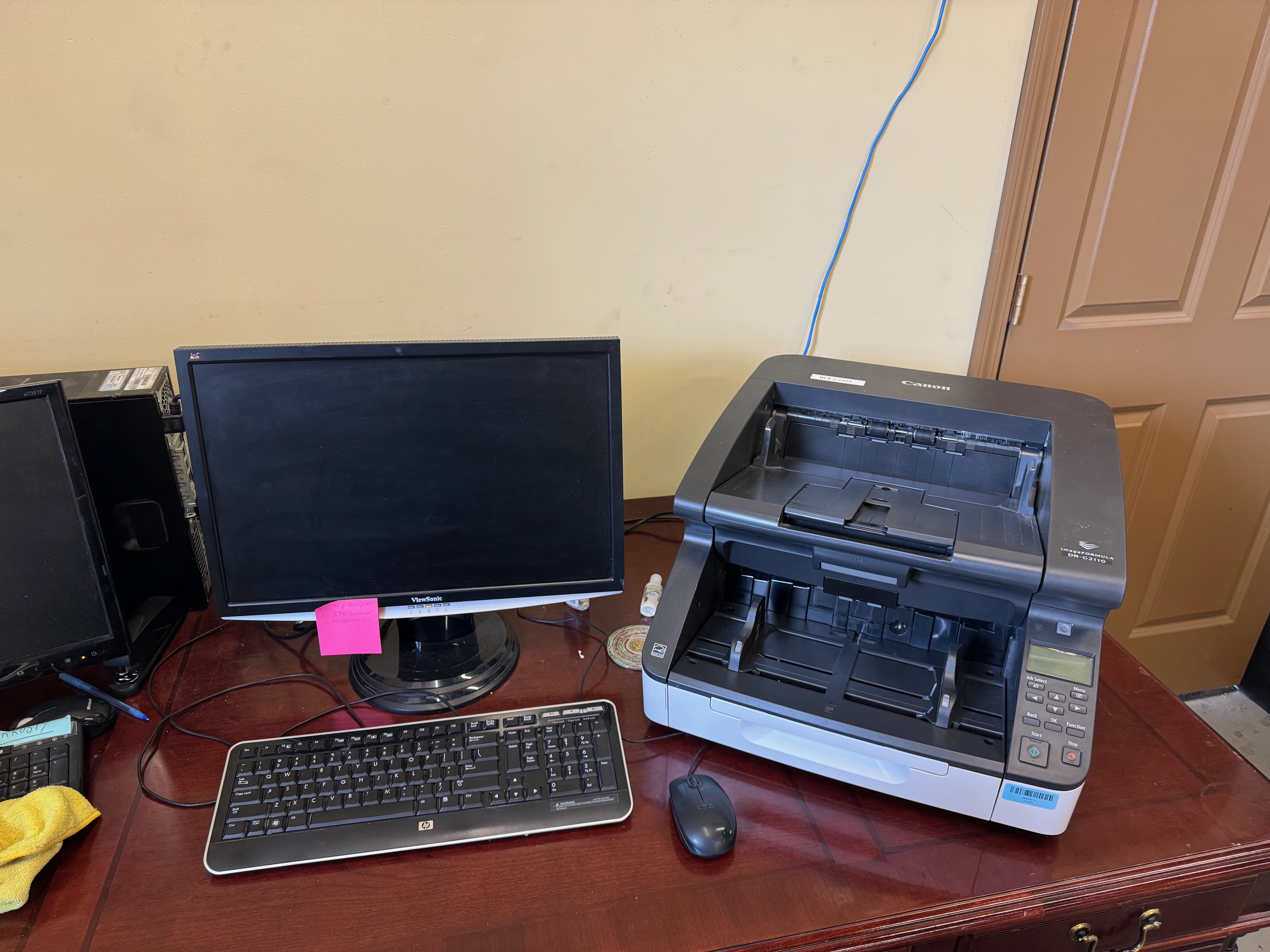
Get your documents ready carefully before you start scanning. This helps get the best results and makes digitizing easier. First, take out any staples, paper clips, or bindings. These can get in the way or even harm the scanner.
Then, sort your documents in a clear way. Think about things like the type of document, the date, and patient details. This will help you organize files in the document management system. It also makes it easier to find and store them later.
Identifying Sensitive Information Requiring Protection
Before scanning, it is important to find and sort sensitive information in your documents. This includes patient names, addresses, medical history, and insurance details. These documents need the best security.
Label these documents as “Confidential.” Make sure to handle them carefully during the scanning process. You might need to use extra protection, like redaction or encryption, based on the privacy laws that apply.
By finding and protecting sensitive data, healthcare providers show they care about patient privacy. This helps reduce the chances of any unauthorized sharing that could affect patient care.
Organizing Documents for Efficient Scanning
Organizing your documents well before you start scanning makes the digital process easier. It helps your document management system work better. This way, you can find and store your digital records without any trouble.
Here are some steps to help with scanning and managing your documents efficiently:
- Sort by Document Type: Group similar papers like patient records, invoices, or consent forms together.
- Chronological Ordering: Arrange documents in each group by date to keep things clear.
- Remove Redundancies: Get rid of duplicate copies to save time and money on scanning and storage.
- Use Consistent Naming Conventions: Use a clear and steady way to name your digital files.
These steps will help to make your digital transformation more organized and effective for your practice. For healthcare organizations managing large volumes of documents, it’s important to have a strategy in place for efficient scanning. Learn about top services and strategies for scanning large documents to ensure your scanning process remains efficient, secure, and HIPAA-compliant.
How HIPAA Compliant Document Scanning Works
The Scanning Process
HIPAA compliant document scanning involves more than just scanning a piece of paper. It includes converting physical documents into high-quality digital images that are then indexed and stored electronically. These files must meet HIPAA standards, ensuring they are encrypted, securely stored, and only accessible by authorized personnel.
Encryption and Secure Storage
Encryption is a key part of the process, ensuring that documents are only readable by authorized users. Whether you’re storing documents on local servers or in the cloud, HIPAA regulations require all files to be encrypted both during transmission and while stored.
Cloud Solutions vs. On-Premise Storage
Healthcare organizations can choose between cloud-based storage or on-premise storage solutions for their digitized documents. Both options offer secure ways to store records, but cloud-based storage offers the added benefit of scalability, cost-efficiency, and remote access, which is especially useful for larger practices.
Role of Third-Party Providers
In many cases, healthcare providers partner with third-party document scanning companies that are HIPAA certified. These companies ensure that documents are handled and stored in full compliance with HIPAA regulations, minimizing the risk of human error.
Common Mistakes to Avoid in HIPAA Compliant Document Scanning
Neglecting to Encrypt Documents
One of the biggest mistakes healthcare providers can make is failing to encrypt their scanned documents. Without encryption, sensitive patient data is vulnerable to breaches, which can lead to significant legal and financial consequences.
Inadequate Employee Training
Even the best scanning systems won’t be effective if your staff isn’t trained to use them properly. Employees need to understand how to handle sensitive data, how to access patient records securely, and the importance of maintaining HIPAA compliance in their everyday activities.
Not Regularly Auditing Document Access
To ensure compliance, healthcare organizations must continuously monitor who accesses their documents. Failure to audit access regularly can result in unnoticed breaches or unauthorized access to patient data.
Failing to Destroy Old Documents
HIPAA regulations mandate that outdated or unnecessary documents be securely destroyed. Many organizations fail to properly dispose of old records, leading to unnecessary security risks.
Best Practices for HIPAA Compliant Document Scanning
Choosing the Right Document Scanning Partner
When selecting a third-party provider, it’s essential to ensure they are HIPAA certified. The provider should have experience handling healthcare data and offer secure document scanning solutions that meet HIPAA requirements.
When selecting a HIPAA-compliant scanning solution, consider the following factors:
Best Fit and Best Choice: Evaluate your organization’s needs and choose a solution that aligns with your requirements. Consider document volume, workflow complexity, and the need for integration with existing systems.
Better Features and Highest Quality: Look for solutions with high accuracy, robust security, and user-friendliness. Dynamic OCR, barcode recognition, and secure cloud platforms are essential for maintaining compliance.
Affordable Imaging Solutions: Choose affordable options that do not compromise on quality or security. Solutions should offer a good balance between cost and features, ideal for organizations of all sizes.
Using Multi-Factor Authentication
To enhance security, healthcare organizations should implement multi-factor authentication for accessing digitized records. This ensures that even if login credentials are compromised, unauthorized users cannot access sensitive patient data.
Regularly Backing Up Data
Healthcare organizations should maintain secure, regular backups of all digitized documents. Data loss can have serious consequences, so having a reliable backup system in place is crucial to prevent disruptions in operations.
Continuous Compliance Monitoring
HIPAA compliance is not a one-time task but an ongoing process. Healthcare organizations must stay up-to-date with any changes in regulations and implement continuous monitoring systems to ensure that they are always in compliance with HIPAA.
Document Management and Content Management Tools
To maintain HIPAA compliance, document management tools are crucial for secure storage, retrieval, and management of electronic documents. Solutions like Digitech PaperVision Capture offer a secure HIPAA cloud platform and are known for their ease of use and scalability. These solutions are ideal for medical facilities seeking an affordable imaging option.
Cost-Effective Solutions
Modern document imaging solutions are cost-effective compared to traditional systems. Features such as concurrent licensing models allow multiple users to access the system simultaneously, optimizing resource use and reducing overall costs.
Advanced Features for Enhanced Security and Efficiency
Secure Service Centers and Cloud Platforms: These platforms ensure that all scanned data is stored securely, adhering to HIPAA standards. They offer secure environments for managing sensitive information, making it easier to comply with privacy regulations.
Complex OCR Workflows: Advanced OCR workflows handle intricate document processing tasks, ensuring even the most complex documents are accurately digitized.
Single Document Collection and Desktop Scanning: These features cater to smaller practices or departments, offering flexibility and ease of use.
Top Scanning Solutions for Healthcare Providers in Minneapolis-St. Paul
Healthcare providers in the Minneapolis-St. Paul area have access to cutting-edge scanning solutions that prioritize HIPAA compliance and data security. By partnering with local providers, these healthcare organizations benefit from personalized service, local support, and a deep understanding of the specific regulatory landscape. These scanning solutions help ensure a smooth transition to a digital environment, whether through on-site or off-site scanning, document indexing, or secure cloud storage. Here’s a look at some of the top scanning solutions available to healthcare providers in the region:
Top Scanning Solutions Providers
| Solution Provider | Services Offered |
|---|---|
| Minnesota Document Scanning | On-site & off-site scanning, document management |
| Docufai | Cloud-based scanning, data capture |
| Scanstore | High-volume scanning, OCR, indexing |
Conclusion:
Ensuring HIPAA compliance in document scanning is not only a legal requirement but also a critical component of maintaining trust with patients. By adopting best practices, securing sensitive data, and choosing the right solutions, healthcare organizations can ensure the safe handling of medical records. Ready to take your practice’s document management to the next level? Invest in HIPAA compliant document scanning today and safeguard the privacy of your patients in 2025 and beyond!
Frequently Asked Questions
What Makes a Document Scanning Process HIPAA Compliant?
A HIPAA compliant scanning process keeps patient information safe and private. This means using secure ways to capture, store, access, and dispose of data. Regular checks are done to make sure data security standards are followed.
Can Digital Documents Be HIPAA Compliant?
Yes, digital documents can be HIPAA-compliant if they meet data privacy and security standards, including access controls and encryption. Regular audits, staff training, and quality checks are crucial to maintain compliance. Failing to adhere to HIPAA rules can lead to legal issues, fines, and damage to a company’s reputation.
How often should HIPAA compliance audits be conducted?
HIPAA compliance audits should be conducted at least once a year or whenever there are significant changes in scanning processes, technology, or regulations. Regular audits help identify potential weaknesses and maintain compliance.
Can HIPAA-compliant scanning be done off-site?
Yes, HIPAA-compliant scanning can be done off-site as long as the service provider follows strict security protocols, such as encryption and secure transportation of physical records. The provider must also ensure that all data handling processes are HIPAA-compliant.
What are the risks of not following HIPAA regulations in document scanning?
Failure to comply with HIPAA regulations can result in significantfines, legal actions, and reputational damage. It may also compromise patient privacy, leading to potential breaches of sensitive health information.
Is Optical Character Recognition (OCR) HIPAA-compliant?
Yes, OCR technology can be HIPAA-compliant if used in conjunction with secure systems that follow HIPAA’s data privacy and security standards. The scanned data must be stored securely, and access should be restricted to authorized personnel only.